
Export your case log
Open Settings → Export case log. Choose the last 7 days, the last 30 days, all cases, a custom date range, or hand-picked cases. “ACGME CSV” builds a file of the cases you have not sent. “Full case record (CSV)” and “Personal record (PDF)” build your own copy of everything.
By Christopher Cutler, MD, CA-1, anesthesiology
The case log is yours, and a copy outside the app is worth having. The export screen makes three kinds of file.
- 1
Open Settings → Export case log
The same screen opens from the ACGME page and from “All cases.”
- 2
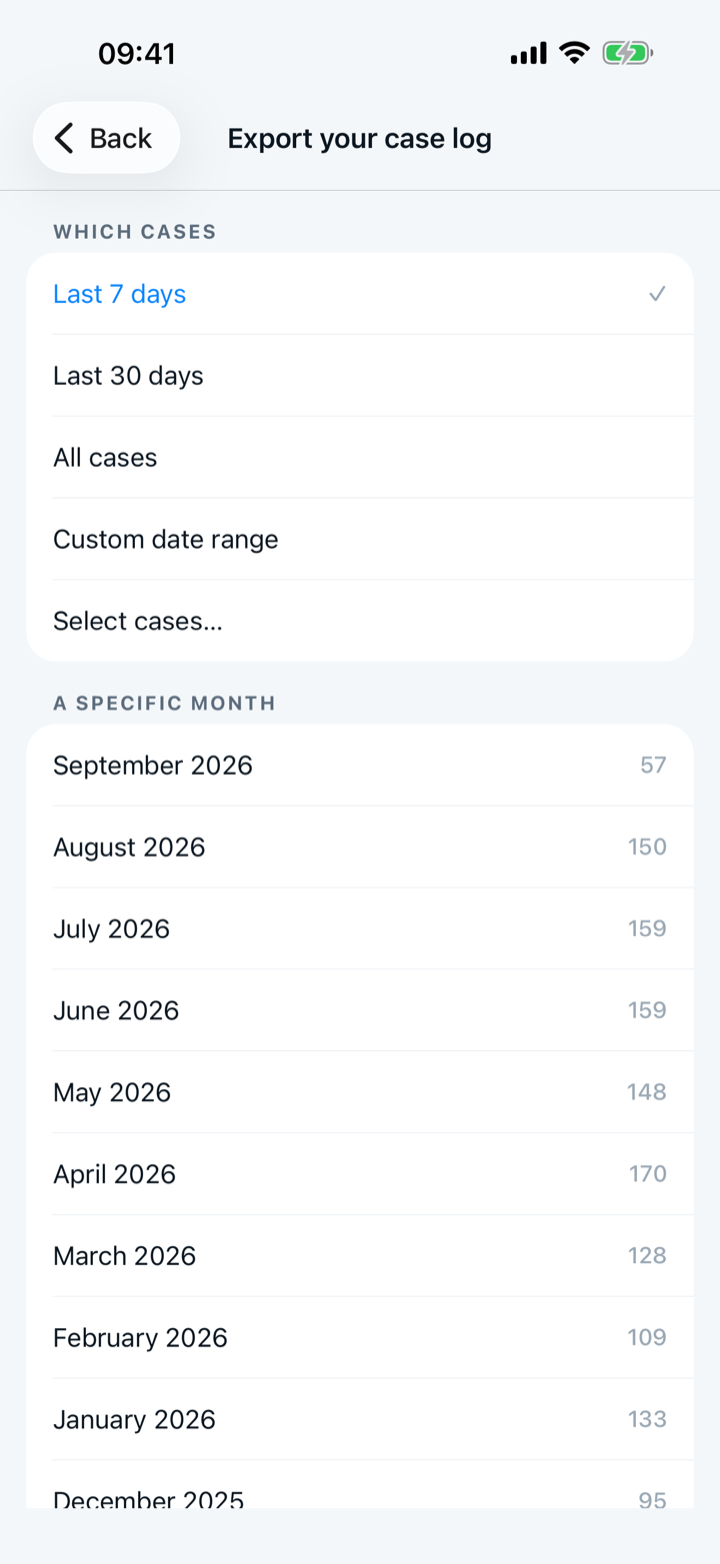
Choose which cases
The choices are “Last 7 days,” “Last 30 days,” “All cases,” “Custom date range,” and “Select cases…” for hand-picked cases.
- 3
Build the ACGME CSV
The file holds the cases you have not sent to the ACGME. Turn on “Include cases already in ACGME” to get every case, with a column that says which were sent. The file is your own copy, and the extension never reads it.
- 4
Build your personal record
“Full case record (CSV)” holds every answer on every case. “Personal record (PDF)” is a summary you can hand to a credentialing office. Both files print their date range, so neither is offered for hand-picked cases.
A neurosurgery install does not show these two buttons yet.
- 5
Near graduation, build the whole set
A “Before you graduate” group appears as graduation approaches. “Build these files” makes every file in one step.

Keep reading
More in records and submission
Sign in to the official ACGME Case Log in ADS; the Capnolog extension fills each case, and you review it and press Submit.
Log each case on your phone, then file the batch at a computer in one sitting.
Track the ACGME minimum with the national average beside it — at a glance.
Paste it, or open the PDF — you review what was read before anything is saved.