
Edit or delete a saved case
On the Log tab, tap “All cases” and tap the case. Tap “Edit” in the top corner, change the answers, and save. To delete a case, swipe its row to the left in the list and tap the Delete button. The case moves to “Recently deleted” for thirty days, and you can restore it.
By Christopher Cutler, MD, CA-1, anesthesiology
A case logged between rooms is often a case with one wrong answer. Fixing the case takes a few taps.
- 1
Open the case
On the Log tab, tap “All cases.” Search or scroll to the case and tap its row. The case opens as a page you can read.
- 2
Tap “Edit”
“Edit” is in the top corner. The form you logged the case with opens again, with every answer in place. Change what is wrong and save.
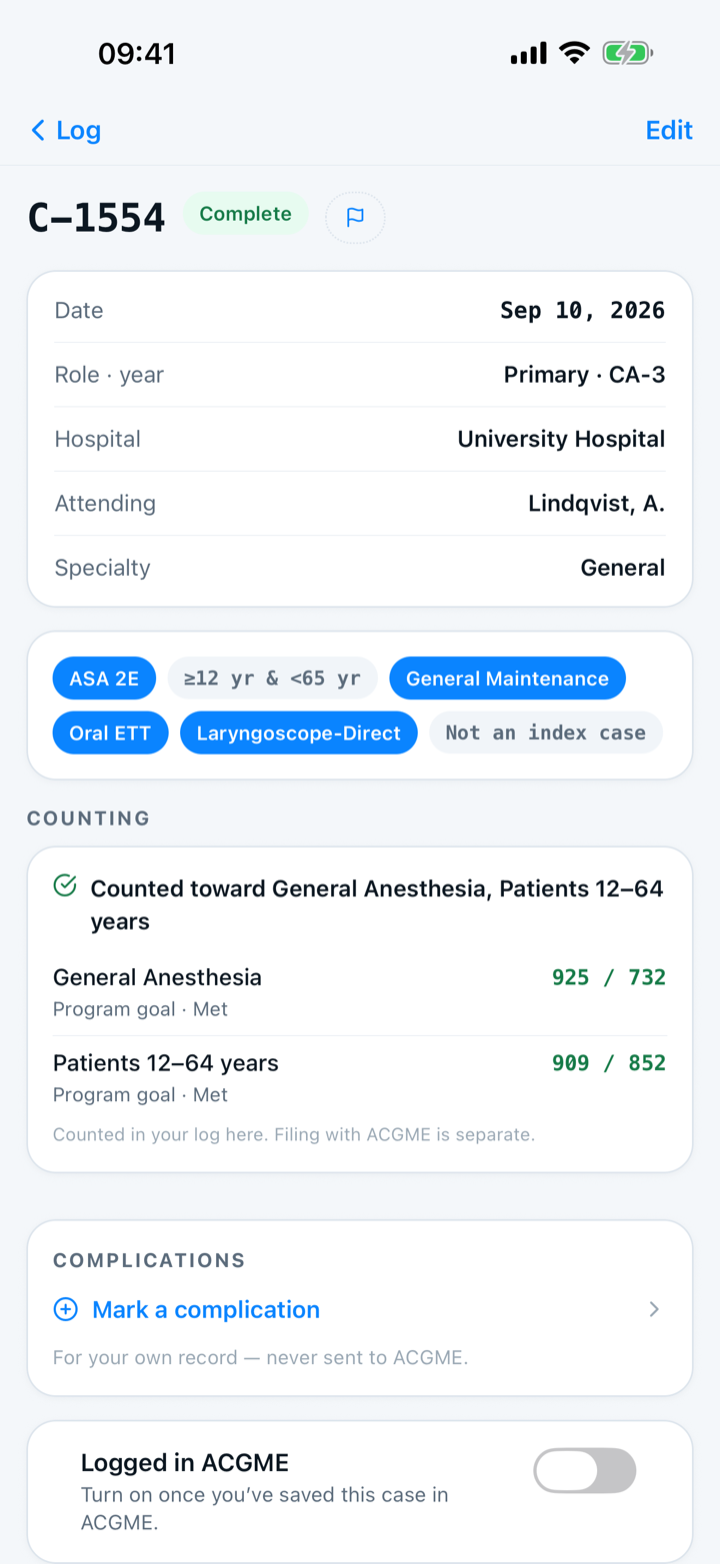
- 3
Finish a case you saved in a hurry
A case saved with only the minimum shows a “Finish this case” button at the bottom. The button opens the form so you can add the rest.
- 4
Swipe left to delete
In the list, swipe the case's row to the left and tap the Delete button. Capnolog asks once before deleting. The case moves to “Recently deleted” for thirty days, and you can restore it.
- 5
A case you already sent to the ACGME
You can still edit or delete the case in Capnolog, and the change stays in Capnolog. To change the official record, edit the case in the ACGME Case Log yourself.

Keep reading
More in day to day
Tap the answers or use a template, and never lose a case.
Set up tomorrow's OR board the night before — then log each case in one tap.
Share a case template or an attending note with your program, and use the ones your co-residents shared.
Hand off an anesthetic plan to a co-resident, or plan the case together with a senior on two phones.