Built by a resident
Never fall behind on your ACGME case logs again.
Capnolog prefills the official ACGME form in your browser. Log a case on your phone in under ten seconds, and see which cases you are short on.
An email arrives when your invite is ready.
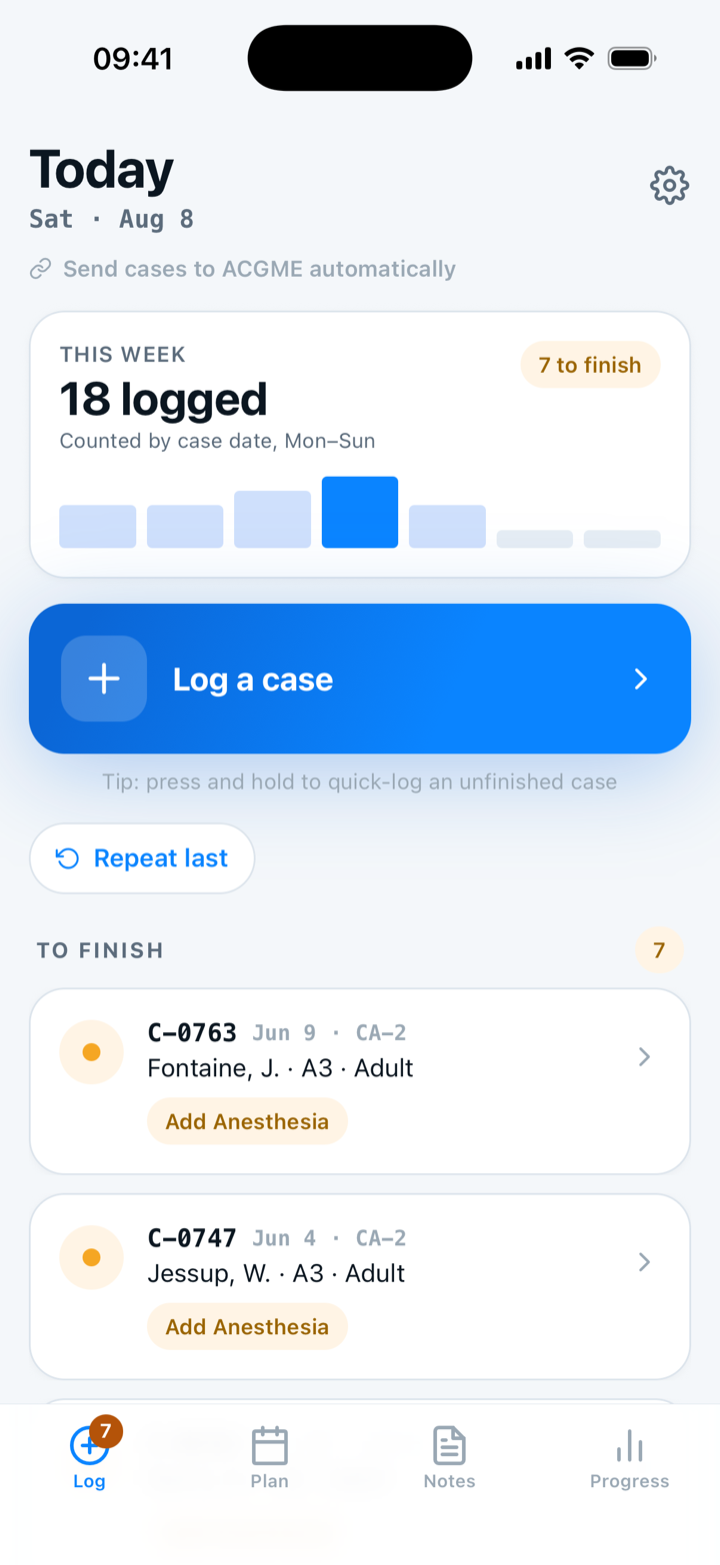
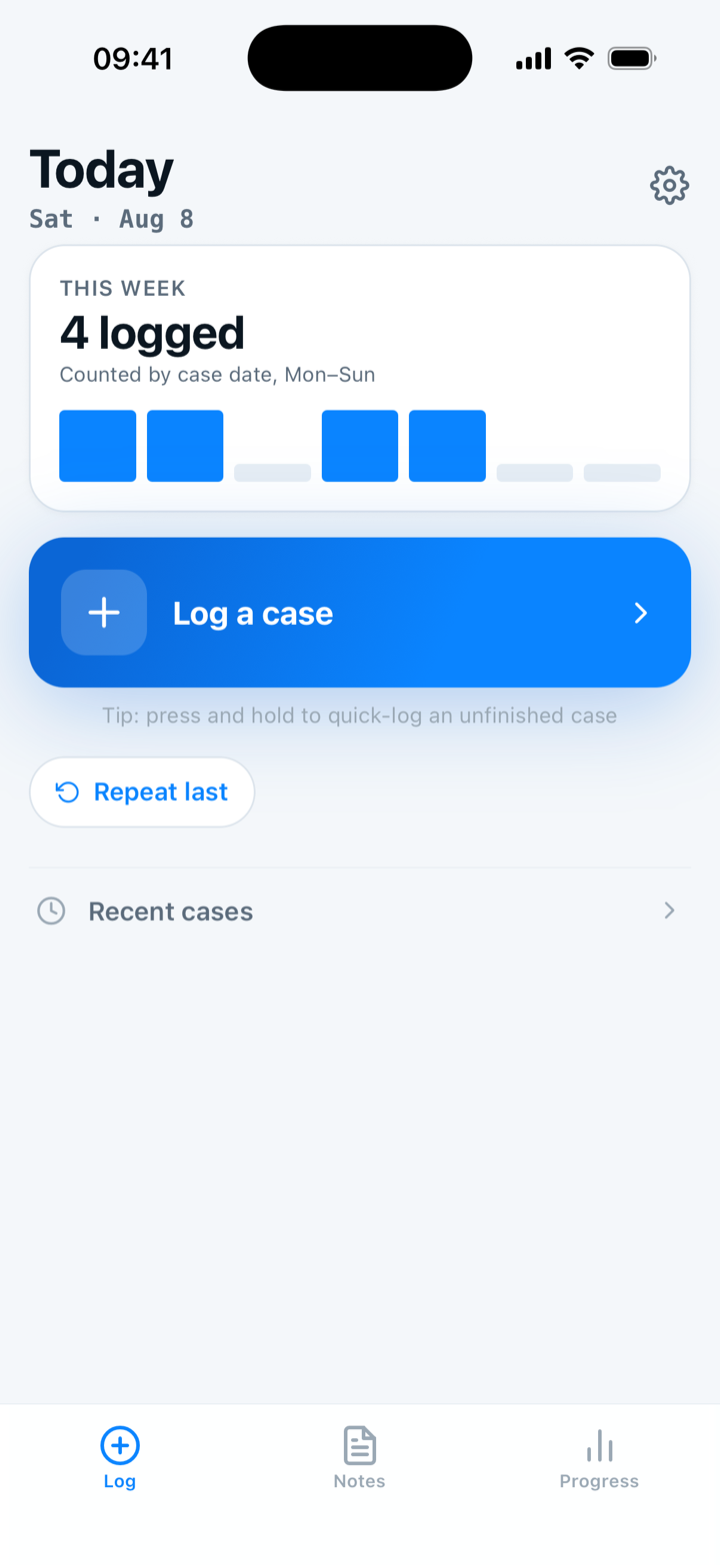
- Instant logging Save a case in a few taps, or say the case out loud, while the details are still fresh.
- Zero PHI The log lives on your phone, with nowhere to put a patient: no name, no MRN, no date of birth.
- ACGME filing One case at a time in Chrome or Edge, with every field already filled. You check the form and press Submit.
- Free forever Logging stays free, and the record of your whole training history stays yours after you graduate.

- Speak or tap to log
- Review
- Save and keep moving
- See what you still need
iPhone and Android · In private beta
The daily loop
Three moments. Nothing left to reconstruct.
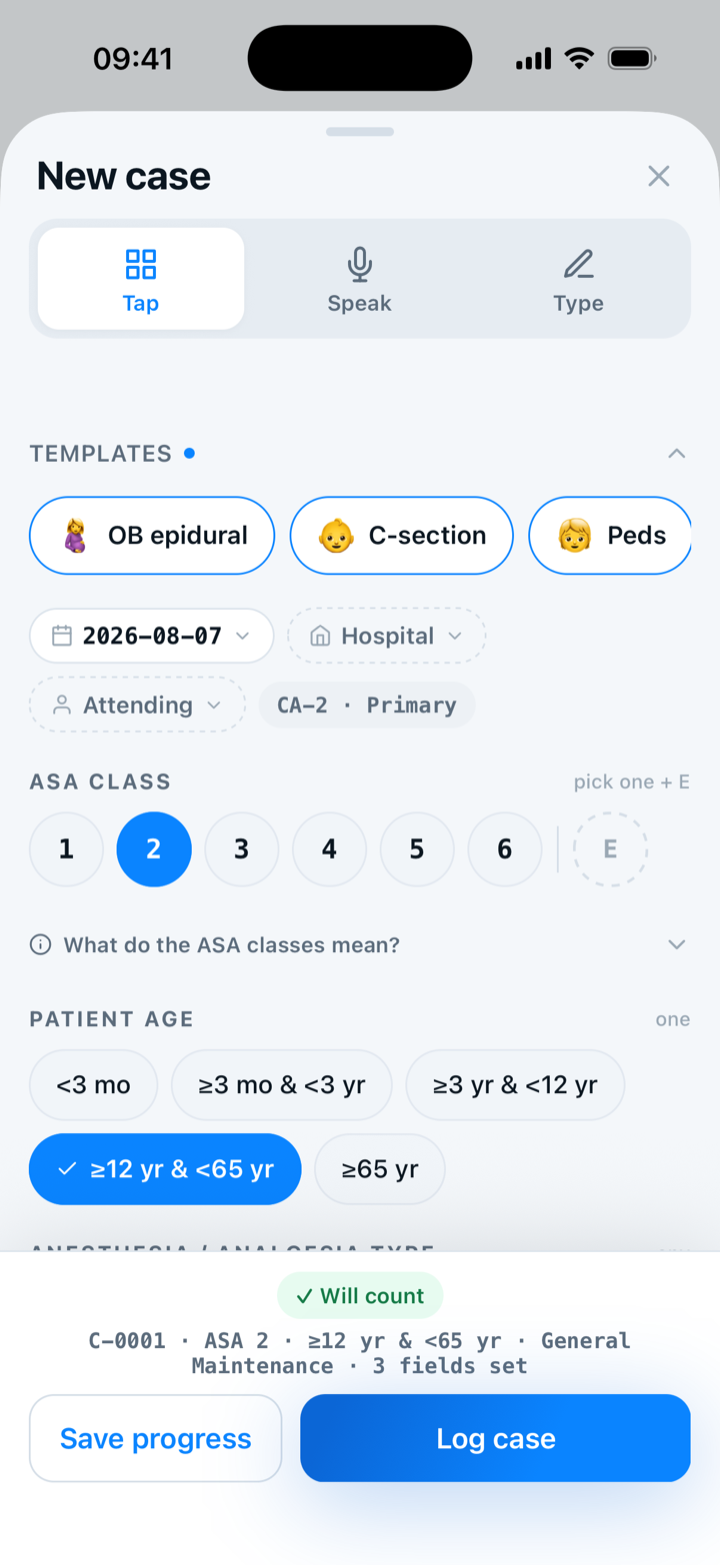
Log
Log the case while the details are fresh.
Capture the case in a few taps, with the details that matter for your requirements.
Confirm
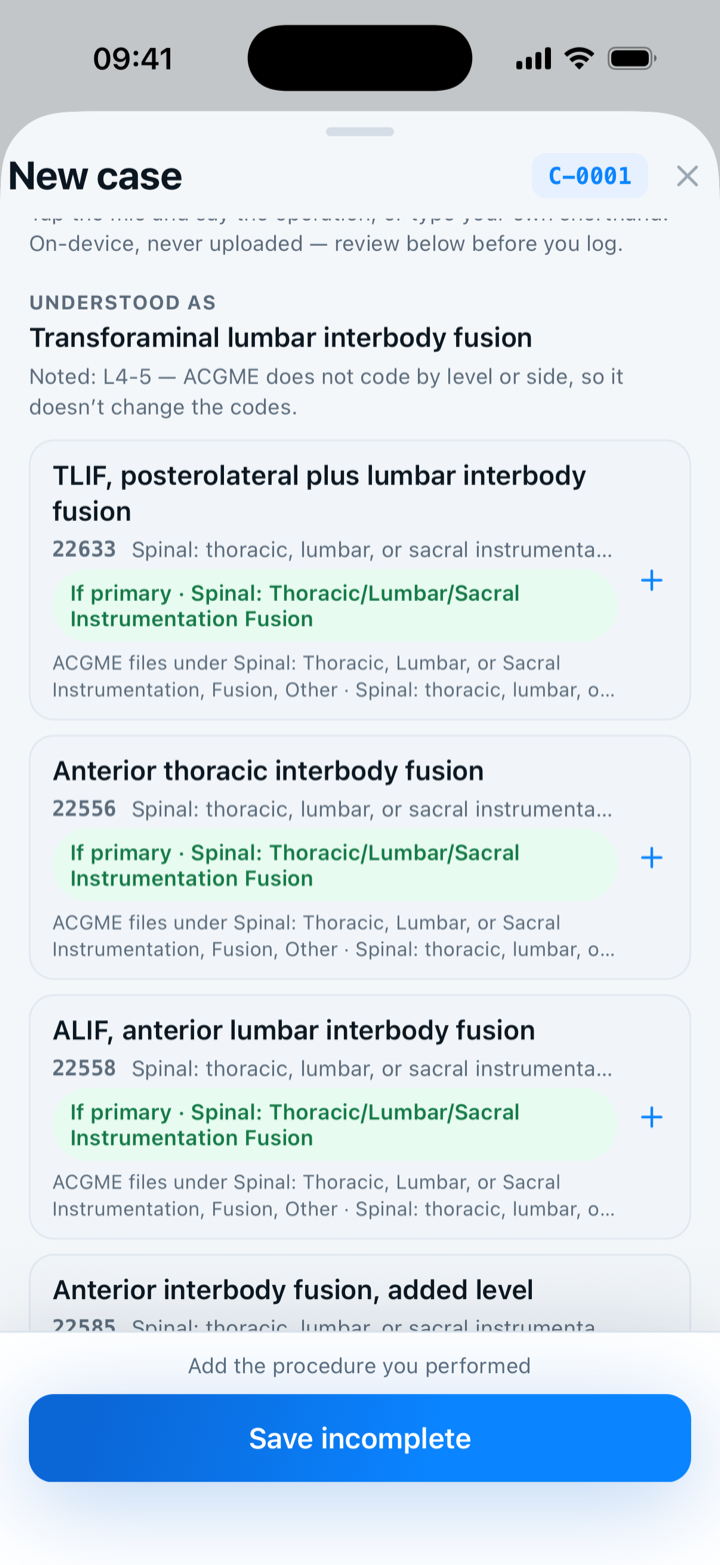
Confirm what matters.
Review what you entered, fix what needs fixing, and keep the record clean.
Neurological surgery example
See
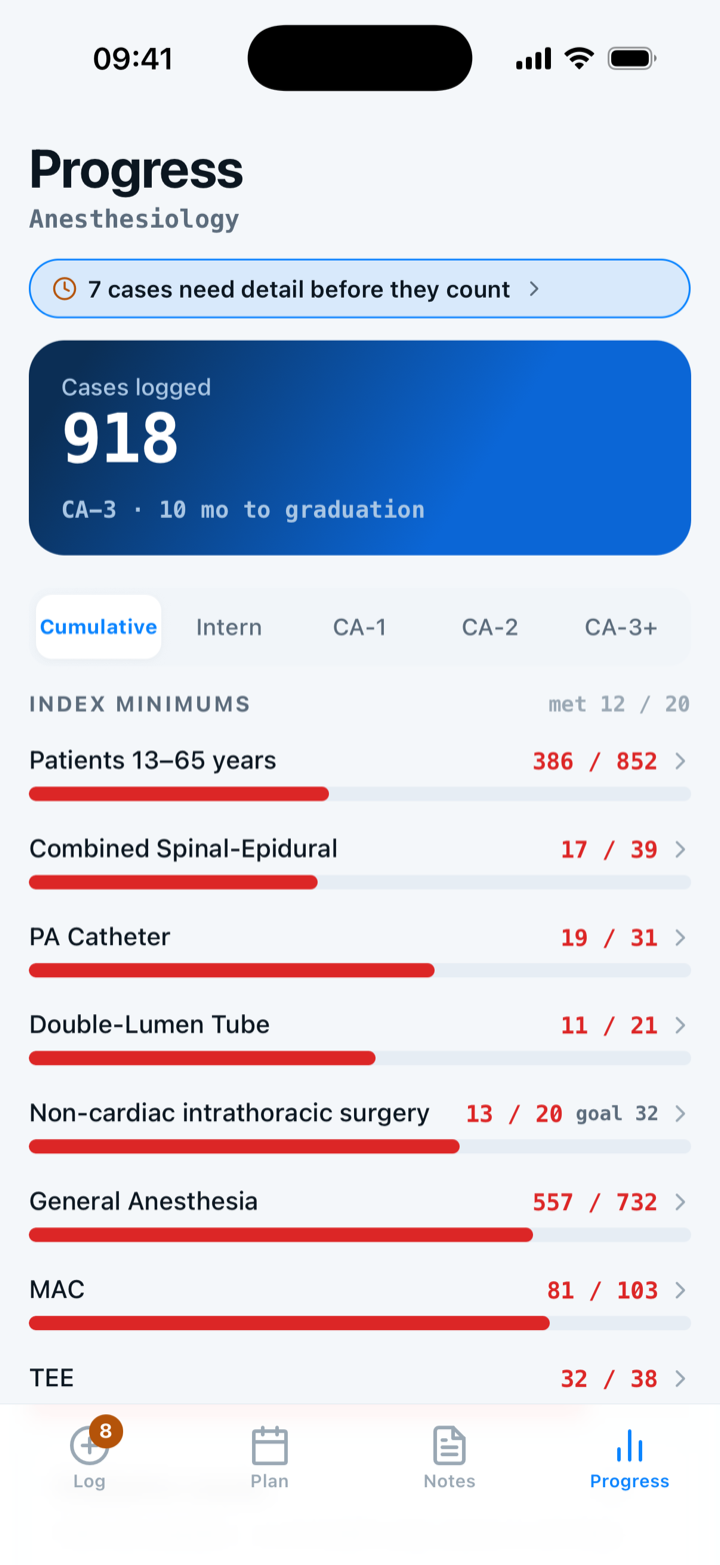
See what remains.
Progress updates as you log, so the next useful case is easier to spot.


An email arrives when your invite is ready.
Your list
Keep the list you already keep. Bring the whole thing in at once.
Most people already keep the list somewhere: an EMR patient list, a phone note, a chief's spreadsheet. Paste that list, or hand over the PDF a printed list actually is. Every row comes back as a draft you accept before saving. Capnolog never connects to a hospital record system and never asks for hospital credentials. Every read drops patient names, MRNs, and dates of birth.
On residency and fellowship installs. A medical-student install logs case by case.
Progress
See the gap in November, not in your last year.
Your log is organized around the requirements themselves. What you have met and what is still short read off one screen instead of a spreadsheet you rebuild by hand.

ACGME requirements
ACGME minimums across 39 requirements and 2 specialties.
Platforms
Log on iPhone or Android. Get back to the day.
The same app on both phones. Log the case in the room and save the record on the device. Take the record along as CSV where your specialty module supports export.


iPhone · available now
iOS 17 or later. Invites go out through TestFlight.
Join the private betaAndroid · available now
Android 7.0 or later. Capnolog sends you a signed build; there is no Play Store listing yet.
Ask for the Android buildMac · coming soon
A Mac companion for the desk is in progress and not available yet.
Availability and program-specific features may vary during launch.
Your day
Which one sounds like your day?
Residents
Log between rooms, and know that day which requirements are still short.
Anesthesiology and neurological surgery today; more modules as they ship.
Fellows
Your cases count against your fellowship's own ACGME minimums, not the residency table you already finished.
Five anesthesia fellowships ship with a published minimums table today.
In private betaMedical students
Start the record on your first rotation, while the habit is still easy to keep.
In private betaProgram leadership
See where a class stands without chasing every resident for a spreadsheet.
Pilot — one programConceptACGME extension users
The ACGME form comes up filled from a case you already logged.
AvailableAnesthesia today
Extension
You already logged the case. The ACGME form gets a copy.
The case is already logged and the record is yours. The Chrome extension fills the ACGME Case Log form from the record, on your own ACGME account. It never submits for you — you read the filled form and press Submit yourself.
- Case appears
- Confirm the matchAnesthesia today
- Review the details
- Mark the case filed
Your data
Your case log belongs to you.
The record you spend all of training building should outlast the app.
- LocalCases save on the phone as you log.
- Backed upBackup runs by default, with the status shown.
- RestoredBring the record back on a new device.
- ExportedCSV export, free where your specialty module supports export.
- Never sent
- Your private note stays on the phone, and the case log has no field for a patient name, an MRN, or a date of birth.
- Always exportable
- Export the full case log to a CSV file you keep. Export is free, where your specialty module supports it.
- A delete you can undo
- A case, plan, or note you delete waits thirty days in a bin and comes back in a tap.
- Yours to erase
- Delete a single case, or erase everything at once. Erasing everything is permanent, clearing the local database and your backup together.
- Backup availability depends on device and account state. A backup that has not run shows as a status rather than being hidden. Export never requires Premium.
No patient identifiers, clinical notes, or free-text case details belong in website analytics or reliability metrics. How aggregate insights work
You already know the ACGME minimums. This is how you know where you stand against them.
Join the private betaAn email arrives when your invite is ready.
Pricing
Start free. Add depth on your own schedule.
Free
The full ACGME case log. Not a trial, not a teaser.
Premium
The layer on top of the log: plan, remember, and file. It starts with a free trial, then the price on the Premium card.
- The case log itself
- Free: Every ACGME category, every published minimum, progress, backup, and CSV export. Complete. Premium: The same log, unchanged. Premium never sits between you and a case you logged.
- Planning the next day, and remembering what an attending wants
- Free: Three custom templates and three attending notes. Premium: Case planning, and templates and attending notes without a cap.
- Submission day
- Free: Import what ACGME already has, so your record starts from the truth. You still type each new case into their form. Premium: The extension fills in the official ACGME Case Log form, one case at a time. You check every field and press Submit yourself.
Notes
One place for the notes you are already writing.
Attending preferences, room setups, and your own checklists live in the Notes tab. Each note links to the attending or case type involved. Every note is searchable in a hurry.

- A setup note, typed wherever.
- Another, a week later.
- Then a dozen more, filed nowhere.
- One searchable list in Capnolog.
Rotations
Stop typing out a year you were already sent.
Paste the calendar link your program publishes and a year of daily assignments becomes your block schedule. Fetching and previewing your year is free; applying it is Premium.

Start with your residency.
Every specialty gets ACGME categories and minimums built for that specialty — not one generic form with a dropdown on top.

One resident
A case-logging app built by a current resident, for residents.
Capnolog is one person's work, written alongside the same ACGME log the app is meant to make faster.
About CapnologProgress
This is what caught up looks like.
Every requirement you have met and every one still short, read off one screen instead of a spreadsheet you rebuild by hand.

Join the private beta.
Say who you are and where you train.